
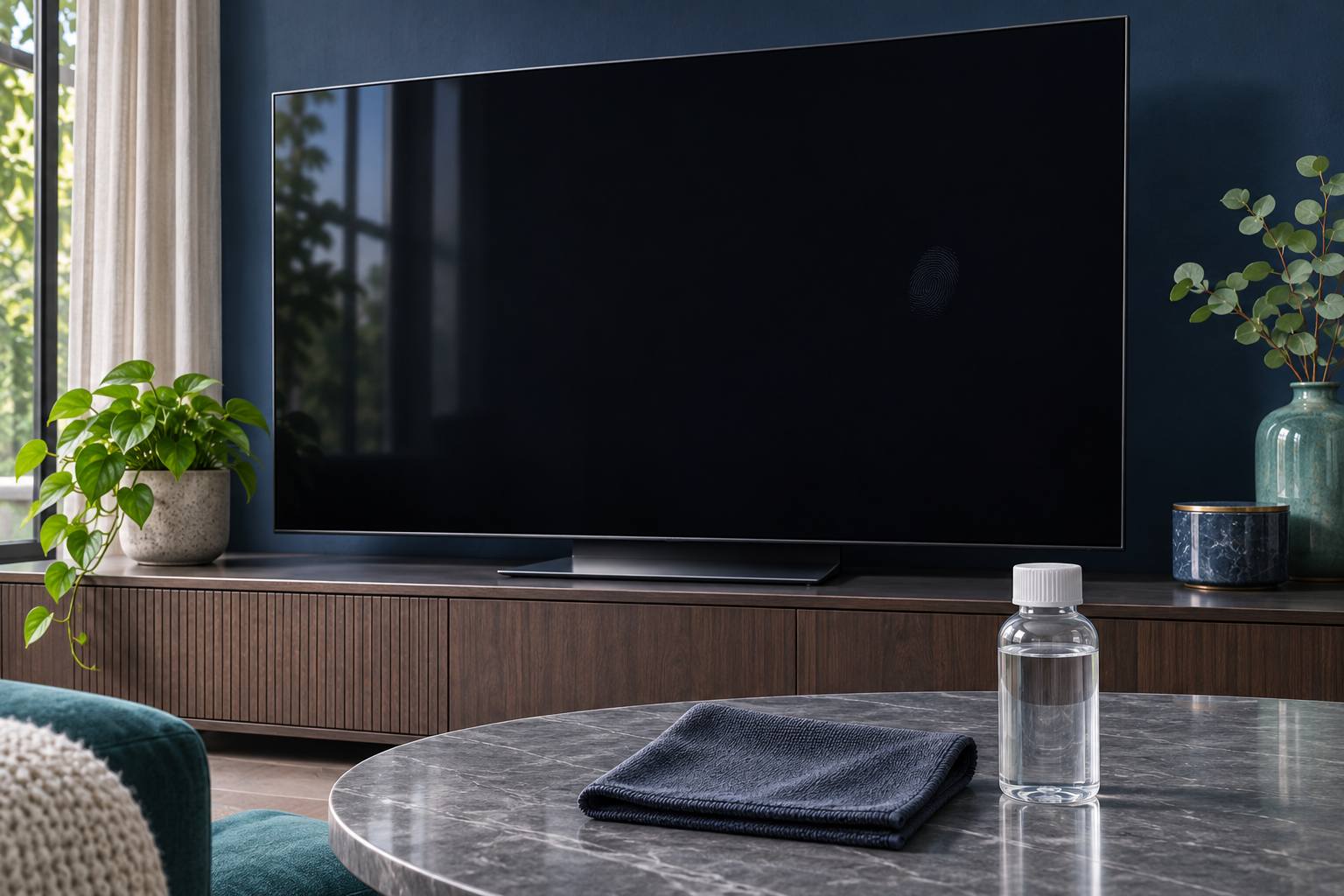
Identify what you are trying to remove.
- Dust or fingerprints visible with the TV off
- These are physical surface marks. Start with the model's ordinary screen-cleaning procedure.
- A shadow visible only in the picture
- Check multiple sources and menus. Image retention or a panel fault needs a different diagnosis from wiping the surface.
- A scratch or discolored coating
- Do not polish or scrape it. Ask the manufacturer to assess it before trying stronger chemicals.
Clean the surface without stressing the panel.
Read the exact model's care instructions
Find the full model number in the TV information menu or on its label. OLED describes the display technology, not one universal surface coating. Use the cleaning section of that model's manual. A method approved for another TV may be unsuitable even if both are OLED. Record the model number before you clean, especially if the set has a special anti-reflection coating. Sony's OLED and LCD care guide begins with dry microfiber and gives separate instructions for certain specially coated screens. Do not transfer a narrow exception to a different model. If the manual is unavailable, use the manufacturer support page or ask support rather than escalating to a stronger cleaner.
Make the TV stable and cool
Turn it off, disconnect power and allow the screen to cool. Leave a securely mounted television in place if you can reach it comfortably. Do not pinch the upper panel, brace your hand against the image area or twist the display to reach around furniture. Clear the area around the set so you can work without leaning on the glass. If the television is on a stand, check that the base is stable. If it is wall mounted, do not pull it forward by its thin top edge. Ask for help if you cannot reach the surface without twisting the cabinet. Keep jewelry and hard buttons away from the screen.
Remove loose dust first
Use a clean, dry microfiber cloth and minimal pressure. Keep your fingertips spread behind the cloth rather than digging into a small spot. Inspect the cloth for grit. Avoid paper towels, ordinary household wipes, polishing pads and anything with a rough edge. Fold the cloth so a clean face is against the surface. Sweep loose dust away before addressing a fingerprint; grit trapped under a cloth can scratch a coating. Use broad, light passes rather than repeated scrubbing on one spot. Samsung's US cleaning guidance warns against paper towels, abrasive pads and solvents including alcohol, ammonia and acetone for its general TV procedure. Its exceptions for certain specialty screens should not be treated as universal.
Treat a stubborn spot with the approved method
LG's screen-care guidance permits a slightly damp cloth for difficult dirt, followed by dry microfiber, and warns against harsh chemicals. That is an example, not permission to ignore another model's manual. Apply moisture to the cloth only and keep liquid away from the bottom edge and openings. Keep the cloth only slightly damp, never dripping. Do not spray the panel, and avoid the frame seams, ports and bottom edge where liquid can enter. If a mark remains after a gentle pass, check whether it is a scratch or coating damage rather than adding more moisture. LG's OLED-specific cleaning article is another model-family reference, but the user manual still controls for an individual set.
Allow complete drying and check normal content
Reconnect power only after the surface is fully dry. Look at a familiar program, then another source if a mark remains. If you see a fixed line, patch or retained shape only when the panel is operating, stop surface cleaning and use the manufacturer's display troubleshooting process. View a normal program and the television's own menu. A mark that moves with the image source may be a source or cable problem; a spot visible only while the screen is on may involve the panel. LG's OLED picture troubleshooting advises checking connected devices before using pixel cleaning for lines or spots. Do not keep wiping a dry screen to fix an electronic issue.
Find the symptom. Check the cause.
A fingerprint becomes a larger smear
Change to a fresh cloth section and use less moisture. Grease can spread if the cloth is already saturated with residue. Our streak-removal guide explains how to avoid repeatedly moving the same film around. If the cloth has picked up skin oil, switch to a clean face or a fresh cloth before another pass. Reusing the same oily area can turn a small print into a wide haze. Let the screen dry and inspect it from the normal viewing position instead of rubbing continuously under a flashlight.
The panel bends while being wiped
Stop. Your pressure or support is unsuitable. Do not continue while holding the screen edge or pushing against the viewing area. Reposition yourself or get assistance so the TV remains stable without loading the panel.
A logo-shaped shadow remains
A physical wipe does not reset pixel behavior. Follow the OLED maker's instructions for ordinary standby maintenance and any troubleshooting cycle. Do not repeatedly trigger manual panel-cleaning cycles as a substitute for identifying the problem. A panel maintenance cycle is not an all-purpose reset. LG's pixel-cleaning notification guidance says the TV may need to remain plugged in while its automatic process runs in standby. If the same shape remains after the maker's troubleshooting steps, contact support rather than repeatedly forcing manual cycles.
Pixel cleaning does not clean the outside.
Pixel cleaning or pixel refresh is an electronic maintenance function on supported OLED TVs. It is unrelated to dust, grease and water marks. The correct frequency and operation depend on the model. Follow its normal maintenance prompts rather than running it after every physical cleaning.
Once cleaning is finished, restore the TV to normal operation and its usual power arrangement so scheduled maintenance can work as designed. For long-term care, avoid unnecessary contact with the screen and keep hard objects away from it. A clean, stored microfiber cloth is more useful than a collection of unapproved sprays.
Keep one clean microfiber cloth for the television rather than using a cloth that has been near furniture polish, kitchen grease or grit. Store it dry and protected from dust. When cleaning the frame, use the method specified for that material as well; a product safe on the frame is not necessarily safe on the screen coating. Avoid spraying liquid near vents or the lower bezel.
A physical scratch, worn coating or liquid entry needs a different response from an ordinary fingerprint. Do not polish the surface or try to dissolve the mark with household chemicals. Photograph the issue without pressing on the panel, record the model number and consult the maker's service guidance. Cleaning should stop once continued wiping risks more damage.
Model-aware instructions.
This guide draws on manufacturer and standards sources reviewed for the November 18, 2026 editorial update. We distinguish common steps from model-specific requirements and link relevant official guidance in the FAQs.
Menu names, app interfaces and supported features can change. Use the manual for your exact model when it differs from a general procedure. This is researched guidance, not a claim that we tested every television, app or accessory described.
A little more clarity.
Can I clean an OLED TV with water?
Some manufacturers allow a slightly damp microfiber cloth for stubborn marks. LG's screen-cleaning instructions describe that method and drying afterward. Check your model first, use very little moisture and never spray water directly onto the screen.
Is OLED cleaning different from cleaning an LCD TV?
The basic need for a clean cloth and gentle pressure is similar, but panel construction and coatings vary. A thin OLED screen also needs careful handling. The exact model's instructions matter more than a generic rule based only on the OLED or LCD label.
Can I use alcohol wipes on my OLED screen?
Do not assume they are suitable. LG's screen-care guidance warns against alcohol and harsh cleaners, while other manufacturers can issue narrow exceptions for particular coatings. Follow explicit instructions for your exact television rather than applying advice intended for a different model. The same warning applies to pre-moistened electronics wipes unless the maker specifically approves them. Check ingredients and the screen coating instructions, not only the product's general marketing claim.
Will pixel refresh remove fingerprints?
No. Fingerprints are on the physical screen surface, while pixel maintenance is an electronic function. Use the approved cleaning method for dirt. Use pixel maintenance only as directed by the TV maker for the relevant image behavior or routine maintenance.
Should I remove a wall-mounted OLED TV before cleaning?
Usually you should avoid unnecessary lifting if the screen is comfortably accessible and securely mounted. Do not stretch, twist the display or support yourself on it. If access is poor, arrange proper assistance and follow the handling instructions rather than improvising support.
What should I do if liquid reaches the edge of the panel?
Stop cleaning and keep the television disconnected from power. Do not keep testing it or apply heat to force drying. Contact the manufacturer for advice about possible liquid entry, especially if you see moisture near openings or any change in operation.
 Deal with streaks
 Clean an older plasma set
 Compare TV features