A spare for the basics, a voice-remote replacement or a backlit option for evening viewing. These three remotes solve different problems, and matching the buttons is only the first check.
TVMates is an affiliate buying-guide website. We may earn a commission from qualifying purchases through affiliate links. These recommendations are research-based, not hands-on tests. Retailers handle purchases, delivery and returns.
Find your starting point
Compare the details that matter.
The Samsung-branded IR remote is the straightforward starting point for basic control. The third-party voice option needs a closer compatibility check. GE adds a fully backlit keypad and brand-selection buttons.
Options compared by the features and limitations that affect your purchase
These are options for different needs, not a measured performance ranking. Match the exact model and current offer before buying.
How the scores work: These are research-based editorial assessments of the documented specifications, suitability for this guide and buying limitations. They are not hands-on test results, independent laboratory measurements or customer ratings. Check the exact model and current seller information.
For a basic Samsung spare
01
Samsung TM1240A
VG-TM1240BN/ZA
Keep everyday controls within reach
Samsung TM1240A · Retailer product image. Promotional artwork is subject to the current offer.
Control
Infrared
Model
TM1240A
Role
Basic spare
Control: Infrared
Model: TM1240A
Role: Basic spare
Variant: VG-TM1240BN/ZA
For a basic Samsung spare
Review at a glance
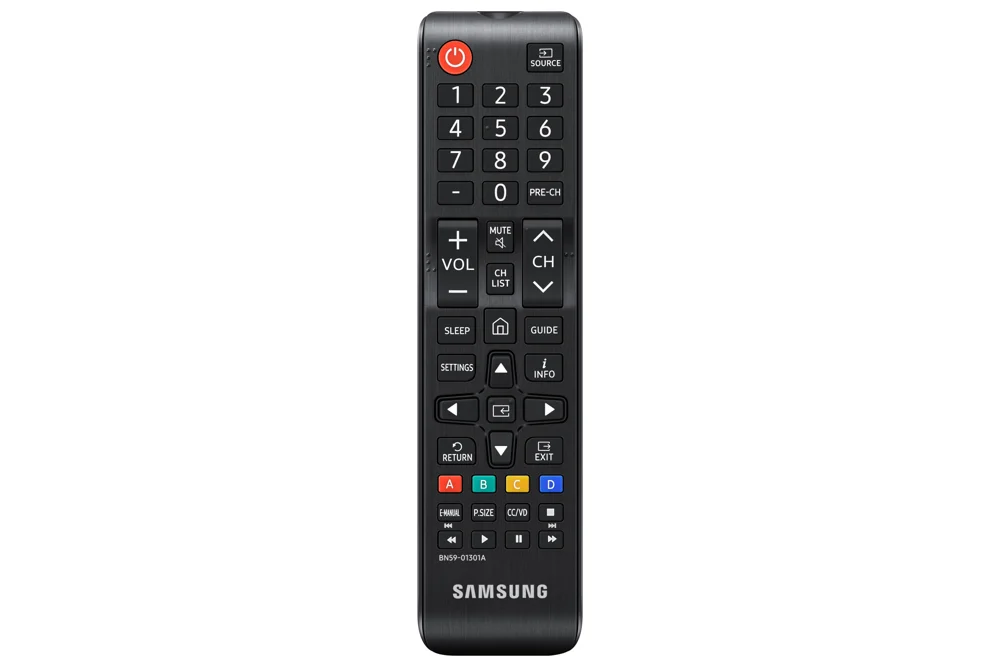
The TM1240A is the simplest starting point if you mainly need volume, channels and ordinary TV navigation. The linked US product is VG-TM1240BN/ZA, a Samsung-branded infrared remote. Walmart describes it as compatible with Samsung TVs from 2012…
Why it made the shortlist
Samsung branding, infrared control and a conventional keypad make its intended role easy to understand.
Choose this route for everyday controls after confirming your TV's compatibility.
Things to check
Broad TV-year compatibility does not guarantee voice features or identical behavior to your original smart remote.
Read the full editorial analysis +
The TM1240A is the simplest starting point if you mainly need volume, channels and ordinary TV navigation. The linked US product is VG-TM1240BN/ZA, a Samsung-branded infrared remote. Walmart describes it as compatible with Samsung TVs from 2012 onward and lists an included AAA battery.
Treat that broad year range as a retailer compatibility statement, not a guarantee that every original remote function will carry over. A conventional IR remote is a different proposition from a paired voice remote. Check the controls your TV needs, particularly if you rely on voice search or device-specific shortcuts.
Its practical appeal is having a recognizable spare without buying a remote for features you never use. Before ordering, compare your TV's full model code with the supported information and make sure the receiver is not obstructed by a soundbar or furniture.
Research-led assessment of the exact variant described, not a hands-on product test. Confirm current specifications, availability and seller terms before ordering.
Choose this route for everyday controls after confirming your TV's compatibility.
Listed model VG-TM1240BN/ZA. Check functions as well as the TV's year.
For a matched voice-remote replacement
02
ANFCSMO voice replacement
BN59-01385A-compatible listing
Check the exact match before the shortcut buttons
ANFCSMO voice replacement · Retailer product image. Promotional artwork is subject to the current offer.
Brand
ANFCSMO
Listing match
BN59-01385A
Solar
No
Model / variant
BN59-01385A-compatible listing
Brand: ANFCSMO
Listing match: BN59-01385A
Solar: No
Variant: BN59-01385A-compatible listing
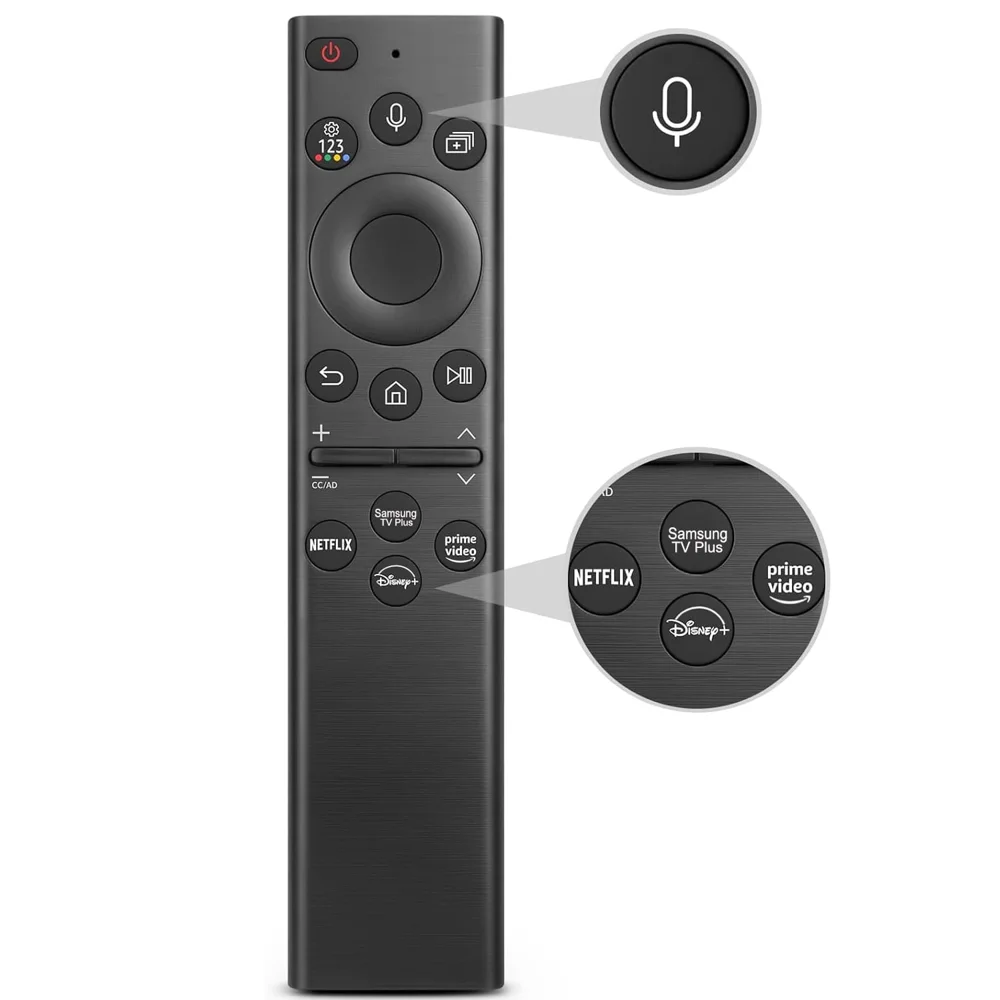
For a matched voice-remote replacement
Review at a glance
This is a third-party remote listed as a replacement for Samsung voice remotes, not a Samsung-made SolarCell remote. The linked title names BN59-01385A and selected 2018 to 2022 TV families. That gives you a starting point for a compatibility…
Why it made the shortlist
The listing identifies a specific remote reference rather than only using the phrase 'Samsung compatible'.
Key specifications
Brand: ANFCSMO · Listing match: BN59-01385A · Solar: No
Who it suits
Consider it only after the seller confirms your exact TV and required voice functions.
Things to check
Third-party compatibility is not independently established for every TV family. The listing explicitly excludes solar charging.
Read the full editorial analysis +
This is a third-party remote listed as a replacement for Samsung voice remotes, not a Samsung-made SolarCell remote. The linked title names BN59-01385A and selected 2018 to 2022 TV families. That gives you a starting point for a compatibility check, not permission to assume every QLED or Frame television is supported.
The retailer's title and automatically generated feature summary describe different year ranges. We have not treated the broader summary as an exact compatibility list. Ask the seller to confirm your full TV code and the original remote part number, including voice operation, before placing an order.
It is worth considering when a voice remote is the function you are trying to restore. It is a less straightforward purchase than a basic spare because pairing, voice behavior and supported models all need to align. The linked offer was sold by FangChen Ltd and fulfilled by Walmart when checked.
Research-led assessment of the exact variant described, not a hands-on product test. Confirm current specifications, availability and seller terms before ordering.
Consider it only after the seller confirms your exact TV and required voice functions.
Third-party replacement. Confirm model compatibility and current seller before ordering.
For buttons you can see at night
03
GE OneTouch
Backlit streaming remote
A backlit keypad with a simpler setup route
GE OneTouch · Retailer product image. Promotional artwork is subject to the current offer.
Keypad
Fully backlit
Power
2 AAA
Setup
Brand button
Model / variant
Backlit streaming remote
Keypad: Fully backlit
Power: 2 AAA
Setup: Brand button
Variant: Backlit streaming remote
For buttons you can see at night
Review at a glance
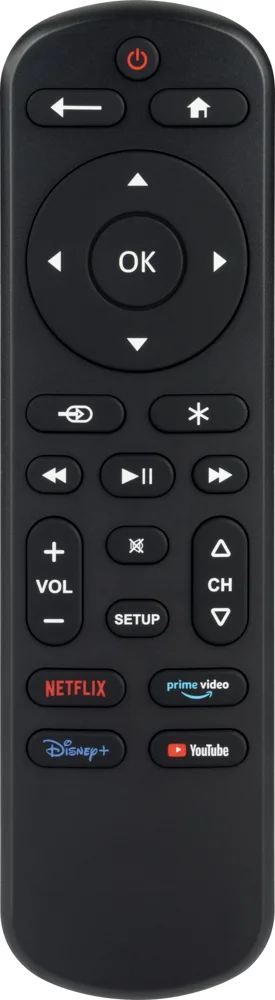
The GE-branded OneTouch puts visibility first. Its fully backlit keypad is a useful reason to choose it over a plain spare if you often watch with the lights low. Jasco describes a setup process based on inserting two AAA batteries and…
Why it made the shortlist
A fully backlit keypad and dedicated brand buttons offer a concrete usability difference from the other linked options.
Consider the GE when backlighting matters more than reproducing your original voice remote.
Things to check
Batteries are separate. Platform and app shortcuts are conditional, and this guide does not establish voice-control support.
Read the full editorial analysis +
The GE-branded OneTouch puts visibility first. Its fully backlit keypad is a useful reason to choose it over a plain spare if you often watch with the lights low. Jasco describes a setup process based on inserting two AAA batteries and selecting the TV's brand button.
The remote supports several TV brands, including Samsung, and has shortcuts for Netflix, Prime Video, Disney+ and YouTube. Those buttons target apps already supplied on the television. They do not install an app, pay for a subscription or guarantee the same behavior across every TV model.
Do not read support for Fire TV and Roku TV as blanket compatibility with every streaming stick or separate player. Match the device you want to control and check any required programming. Jasco notes that some Sharp and Insignia Roku TVs need additional setup, which illustrates why 'one touch' still has exceptions.
Research-led assessment of the exact variant described, not a hands-on product test. Confirm current specifications, availability and seller terms before ordering.
Consider the GE when backlighting matters more than reproducing your original voice remote.
Check the backlit black variant and the functions supported on your exact television.
Before you order
Match the television before the remote
Copy both model numbers
Find the TV's full model code in its settings or on its label. If you still have the original remote, record its part number too. A listing that names the right brand or screen size may still omit the precise TV you own.
Separate essential buttons from extras
Make a short list of what has to work: power, volume, input selection, menus, voice search and any accessibility controls. A remote that handles the first few items may still lack the extras. Confirm those functions before comparing appearance or shortcut keys.
Keep the signal path clear
An infrared remote needs a clear path to the TV's receiver. Before replacing a remote that seems unreliable, check batteries and obstructions. If a soundbar sits in front of the screen, compare its height with the receiver's position. Our soundbar connection comparison also explains when the TV remote can control audio.
Our approach
A clear basis for comparison.
We compare the exact US products in this shortlist using manufacturer information where available and the linked retailer listings. We focus on the specifications, compatibility and practical limitations that can change a buying decision.
Match the model and variant, including the seller where a marketplace offer is involved.
Separate documented features from manufacturer claims and our own interpretation.
Explain important limitations rather than assign unsupported scores or claim hands-on testing.
Retailer-only details are identified in the relevant comparison. We do not treat seller motion labels or AI-generated summaries as independently measured performance. Product information and linked retailer offers were reviewed on November 4, 2026. Prices, sellers and delivery options can change. Check the exact listing and installation instructions before purchase.
The remaining questions
Useful answers before you buy.
Will any Samsung remote work with any Samsung TV?
No blanket guarantee is appropriate. A remote may operate basic infrared controls while lacking voice pairing or specific shortcuts. Match the full TV model and the original remote reference where available. The linked TM1240A listing gives a broad 2012-onward compatibility statement, which should still be checked against the functions you need.
Is the BN59-01385A replacement a genuine Samsung remote?
The linked listing is an ANFCSMO third-party replacement described as compatible with Samsung remotes. It is not presented here as a Samsung-made product. Check the current seller, TV compatibility and return conditions, especially if voice operation is essential.
Does the third-party replacement charge from sunlight?
No. The supplied listing explicitly says 'No Solar'. A similar shape or button arrangement does not make it equivalent to a SolarCell remote. Confirm the required battery type and what is included with the seller before ordering.
What makes the GE OneTouch different from a basic spare?
Its fully backlit keypad is the clearest difference for low-light viewing. It also uses TV-brand selection buttons and includes streaming-app shortcuts. Jasco's product guidance explains that two AAA batteries are required and not included. App hotkeys depend on the apps installed by the TV manufacturer.
Will a replacement remote control my streaming stick?
Do not assume it will. Support for a television running a streaming platform is different from support for a separate stick or player. Check the exact external device model and control method. The remote's TV power and volume buttons working does not establish that its navigation buttons will operate a connected player.
Why can a remote change volume but not use voice search?
Basic controls and voice functions can use different communication paths and compatibility requirements. Successful power or volume control is not proof that voice pairing is supported. Check the replacement remote's instructions and the TV's supported remote models rather than repeatedly resetting the television.
What should I check before paying?
Confirm the full TV code, the remote part number, the functions you need, the battery requirements and the seller's return terms. If the listing uses a broad phrase such as 'most Samsung TVs', ask for a model-specific answer. Keep that confirmation with the order information.
Your next step
Choose around the job it needs to do.
For a basic Samsung spare
Choose this route for everyday controls after confirming your TV's compatibility.